
Lifts
A lift is a base station, a top station and the lift line between them. One lift tool draws the line for all four types and plans the towers. The rope, chairs and cabins come with the line.
Build Order
Section titled “Build Order”- Lift type: hub Lifts tab, the chips Fixed-grip, Detachable, Gondola and Tram. Line and both stations share one type.
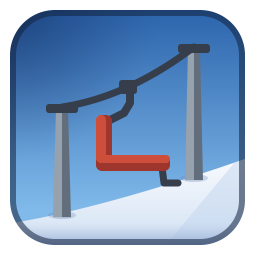 Fixed-grip triple chairlift.
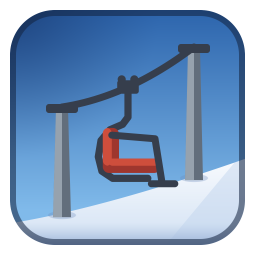 Detachable quad chairlift.
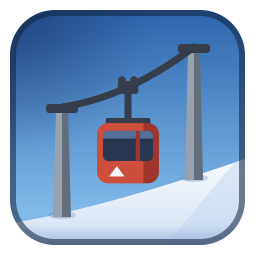 Gondola.
 Aerial tram.
- Base station: bottom of the lift.
- Top station: top of the lift, facing the base station. A guide line shows when the stations are straight to each other.
- Lift line: open the lift tool (the Lift line tile, the Lift tool chip or Ctrl+Shift+L). Click the base station, then the top station. The tool plans the towers and shows them before anything is built.
- Adjust, then build: press Enter. See Lift Tool below.
- Power: low-voltage line to the base station.
Lift Tool
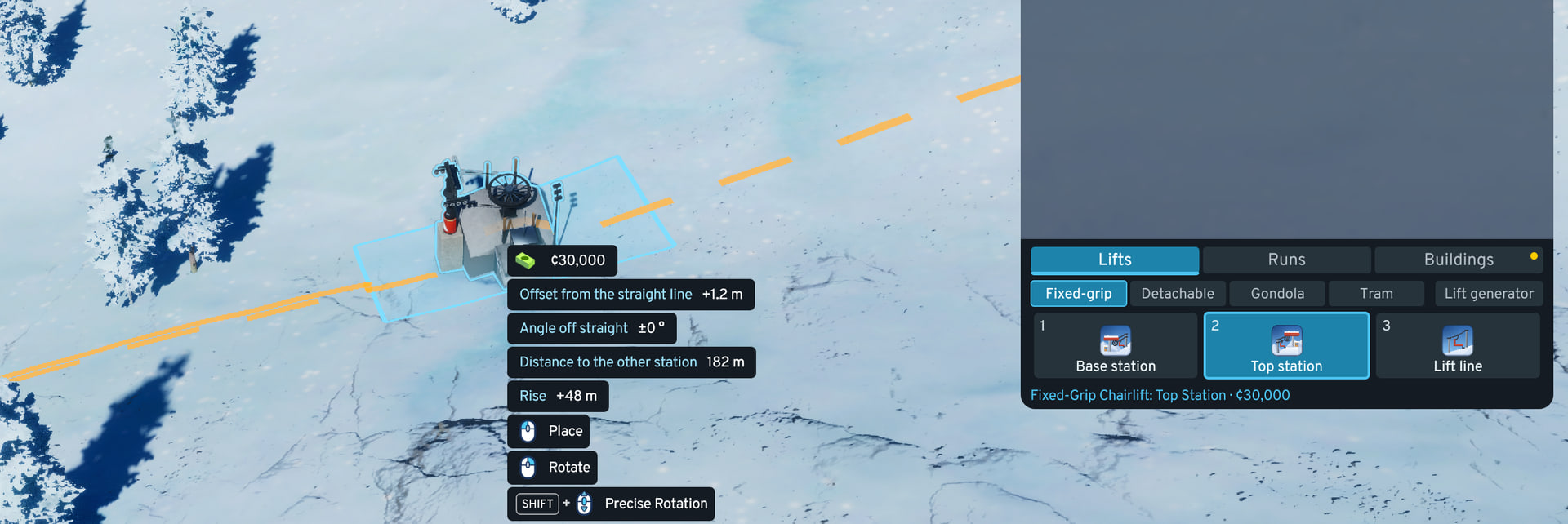
Section titled “Lift Tool”The prompt beside the cursor names what the next click does. A line can start at a station, a loose line end or open ground.
-
Towers: click the line to add a tower, drag one to move it. Both pin the tower (blue inner ring): it stays exactly where it is, and the planner refits only the unpinned towers between pins, still setting every height. A pin too close to a station or another pin is refused (Limits per Lift Type). Drag a tower off the line to remove it. The planner puts one back only if the line needs it there.
-
Step back: right click or Esc undoes one action. Build: Enter.
-
Preview: the rope is colored by how far its lowest carrier clears the ground beyond the required minimum:
- Green: at least 2 m to spare.
- Amber: 0 to 2 m to spare.
- Red: below the minimum. The tower ring is red too (short).
- Violet: higher above the ground than the type allows (no limit for the tram).
Red and violet clearance do not block the build. The tooltip gives span lengths and the lowest carrier height.
-
Planner: fits tower heights to the terrain with few towers, preferring short towers next to stations. Option Plan lift towers, default on.
-
Too steep: a span steeper than the type allows is drawn red, and the game refuses to build that line. Move or add a tower, or change the route.
-
Red tower: a tower the planner cannot fix. The line still builds and runs. Its tooltip names the reason:
- Too steep for this lift type: the rope runs through the tower steeper than the type allows.
- Past what its wheels can follow: the rope bends more than the sheave train follows.
- Past what tram saddles are built for: the rope bends over a tram saddle by more than 40° (20° each side).
- Past where chairs or cabins clear the tower: a hanging chair or cabin would swing into the tower head.
-
Trees: a built line fells the trees in its corridor, plus any tree whose crown reaches the carriers, also where the rope runs high. The preview shows the cut. The Resort Planner’s tree filler keeps out of the corridors of built lifts, the aerial tram’s included.
-
Tower numbers: counted up the line from the base station, 1 to 200, then back to 1.
-
Station that already has a line: refused. In the lift tool, click a section’s rope to remove that section, then click its two loose ends.
Limits per Lift Type
Section titled “Limits per Lift Type”| Fixed-grip | Detachable | Gondola | Aerial tram | |
|---|---|---|---|---|
| Steepest slope | 38.7° | 42° | 50.2° | 68.2° |
| Longest span between towers | 90 m | 245 m | 245 m | 3,000 m |
| Steepest rope through one tower | 38° | 40° | 40° | 55° |
| Tower starts to lean at a rope slope of | 12° | 20° | 20° | 30° |
| Most a tower leans | 25° | 20° | 20° | 25° |
| Lowest carrier above the ground | 3 m | 3 m | 3 m | 5 m |
| Highest rope above the ground | 30 m | 30 m | 30 m | no limit |
| Tree corridor width | 11.4 m | 13.6 m | 14.2 m | 20.8 m |
| Dragged tower snaps to | 5 m | 5 m | 5 m | 10 m |
| Closest pin to a station | 11.5 m | 11.5 m | 12.6 m | 16 m |
| Closest pin to another pin | 10 m | 10 m | 10 m | 40 m |
Prices, speeds and tower heights: Lift Types.
Section Redo
Section titled “Section Redo”A line is made of sections. Each section can be removed and redrawn by itself.
- Steep or uneven ground: draw one section at a time.
- Wrong section: remove it (a click on its rope in the lift tool, or the bulldozer) and redraw it. The other sections keep towers, rope and carriers.
- Missing section: the lift counts 0 and pays a quarter of its upkeep until the line is complete.
Terrain
Section titled “Terrain”- Longest span: the planner adds towers to stay under it, and wherever the sagging rope would come too close to the ground.
- Steep lines: towers lean downhill where the rope runs steeply through them (Limits per Lift Type).
- Canyons and cliffs: the planner puts towers where the ground rises toward the rope, and uses tall towers where they let a span reach farther. If no mix of heights clears a span, the preview shows red or violet.
- Stations: the detachable quad and gondola stations and the fixed-grip base station cut a level pad into the slope and fill nothing, so the slope stays below them on the downhill side. A base station cuts its pad 12 m past its lot on the line side. The aerial tram’s base terminal levels its pad (cut and fill). The fixed-grip top station and the tram’s top terminal keep the slope as placed. Where the ground past the pad rises faster than the chairs climb, the chairs leave below the ground: the tool shows a notice and still builds. Pick flatter ground, terraform, or move the station with Move It. Every building’s ground behavior: Ground and Slopes.
- Crossing another lift: passed over, or under where the other lift runs high, with the towers beside the crossing raised for the game’s clearance. Not built, with a notice, when no tower arrangement reaches the clearance, the crossing is too close to a station or to the other lift’s towers, or the angle is under 20°. Two lifts of the same type cannot cross.
- Along another lift: a line within 8 m and 10° of another lift over more than 15 m is not built. The game would merge the two lines.
- Roads: towers are kept off roads, rail, tram tracks and paths under the line, but not off roads and paths inside a building’s lot. Where no plan avoids a road, the tower stands on it and the game reports an overlap: move the road or the tower.
- Cat tracks: build them first. See Cat Track Tool.
To the game, a lift line is a power-line network. The game therefore shows power-line details for lifts that the mod cannot change: a Transformer section in station info panels, capacities in the asset menu, power-line experience for drawing a line, and high-voltage lines in the electricity overlay (only the base station’s own stub is low-voltage).
- Base station: wire a low-voltage line into its stub. Only the base station needs power. The lift line ends at the top station, so a lift carries no city power and adds no grid capacity. The road never powers a lift station.
- Icons: a station with no lift line, and a loose line end, show the yellow Lift line needed icon. The base station shows the game’s low-voltage “not connected” icon until wired. A lift without power because the city is short shows only in the hub’s lift status.
- Stub marker: a ring on the base station’s low-voltage stub, orange with no wire, green once wired. It shows while placing, with the power line tool or electricity overlay, and on a selected base station (option Lift building aids).
- City high-voltage lines: cannot join a lift tower, stub or lift line. The game refuses them.
Uninstall
Section titled “Uninstall”Before removing the mod, clear the city of it, then save:
- Delete all: Options > Modular Ski Resort > Reset > Delete all ski resort content removes every lift, run and building of the mod (Settings, Reset).
- By hand: bulldoze all lifts and all runs.
If you skip this, the city still loads and runs. What stays:
- Buildings and stations: checkered placeholder blocks at full size.
- Lift lines: bare strips, with no chairs or towers.
- Runs: flat cream patches with no snow.
Other limits (empty chairs, chair numbers): front page.
Scoring
Section titled “Scoring”Conditions for a lift to add to the ski area score:
- Complete: two stations and a joined line.
- Powered: base station has power. An unpowered lift stops, adds 0 and still pays upkeep.
Values per type: Attraction Formula. Speeds, seats and prices: Lift Types.
Problem States
Section titled “Problem States”| Hub line | Condition |
|---|---|
| Lift X: no power | Base station without power. Connect a low-voltage line. |
| Lift X: section missing | Section removed or being redrawn. |
| Lift X: unfinished | Line does not join a base station and a top station. |
| Lift X: no lift line yet | Both stations placed, no line between them. |
| Lift X: no top station yet / no base station yet | One station placed. |
| Lift X mixes lift types | Line and stations differ in type. Redraw the line as the station type. |
| Lift X: tower N’s wheels cannot follow the rope | A tower’s rope bends or pitches past what its wheels follow, relative to the tower’s lean. Warning only. |
| Lift X: rope turns N° at tower N | The line bends at a tower by more than 5°, more than real lines do. Warning only. |
| Lift X: chairs pass N m above the ground (or touch the ground) | Carriers closer to the ground than planned lines allow (3 m, tram 5 m). Warning only. Redraw the section to replan it. |
| Lift X: chairs stopped | Lift complete, still counts. Carriers stopped. Cause in the mod log: Troubleshooting. |
Warning only: the lift runs and counts.
Recoloring
Section titled “Recoloring”- Stations: the game’s color picker (steel and safety padding).
- Line towers: cannot be selected, so the game’s color tool cannot reach them. The optional Recolor mod’s painter tool can paint them.